用JAVA来发送邮件吧
邮件发送
使用Java应用程序发送 E-mail 十分简单,但是你首先得下载javaMail API
下载这个jar包加入到项目中去,本例中是以163邮箱发送邮件的。然后直接上代码:
1
2
3
4
5
6
7
8
9
10
11
12
13
14
15
16
17
18
19
20
21
22
23
24
25
26
27
28
29
30
31
32
33
34
35
36
37
38
39
40
41
42
43
44
45
46
47
48
49
50
51
52
53
54
55
56
57
| package com.org.test;
import java.util.Properties;
import javax.mail.Message;
import javax.mail.Session;
import javax.mail.Transport;
import javax.mail.internet.InternetAddress;
import javax.mail.internet.MimeMessage;
import javax.mail.internet.MimeMessage.RecipientType;
public class MailUtils {
private static String smtp_host = "smtp.163.com";
private static String username = "xxxx@163.com";
private static String password = "xxxx";
private static String from = "xxxx@163.com";
public static void sendMail(String subject, String content, String to) {
Properties props = new Properties();
props.setProperty("mail.smtp.host", smtp_host);
props.setProperty("mail.transport.protocol", "smtp");
props.setProperty("mail.smtp.auth", "true");
Session session = Session.getInstance(props);
Message message = new MimeMessage(session);
try {
message.setFrom(new InternetAddress(from));
message.setRecipient(RecipientType.TO, new InternetAddress(to));
message.setSubject(subject);
message.setContent("<h2>"+subject+"</h2><br><p>"+content+"</p>", "text/html;charset=utf-8");
Transport transport = session.getTransport();
transport.connect(smtp_host, username, password);
transport.sendMessage(message, message.getAllRecipients());
} catch (Exception e) {
e.printStackTrace();
throw new RuntimeException("邮件发送失败...");
}
}
public static void main(String[] args) {
sendMail("测试邮件", "这是一封测试邮件", "1419908068@qq.com");
}
}
|
注意授权码是一个独立的密码,不是你登录的密码。
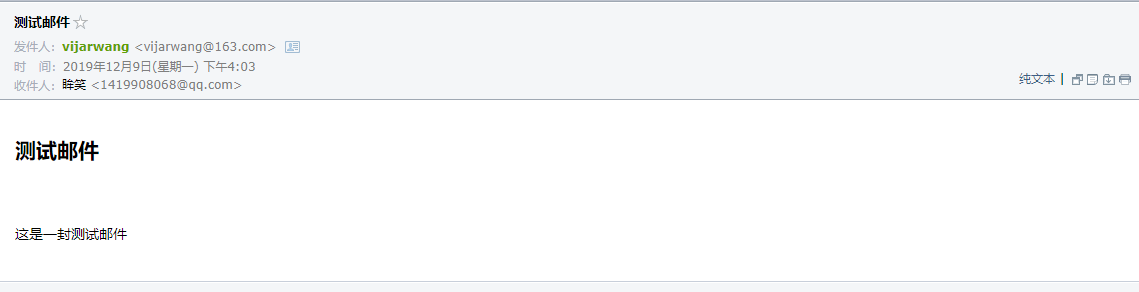
收到的邮件:
授权码开启
每个邮箱的授权码需要单独开启,并且还需要开启POP3/SMTP/IMAP服务,各个邮箱开启步骤如下:
网易163邮箱
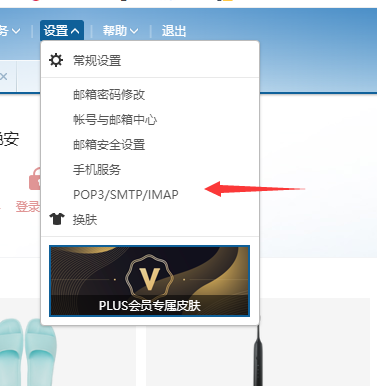
登录后点击设置 –> POP3/SMTP/IMAP
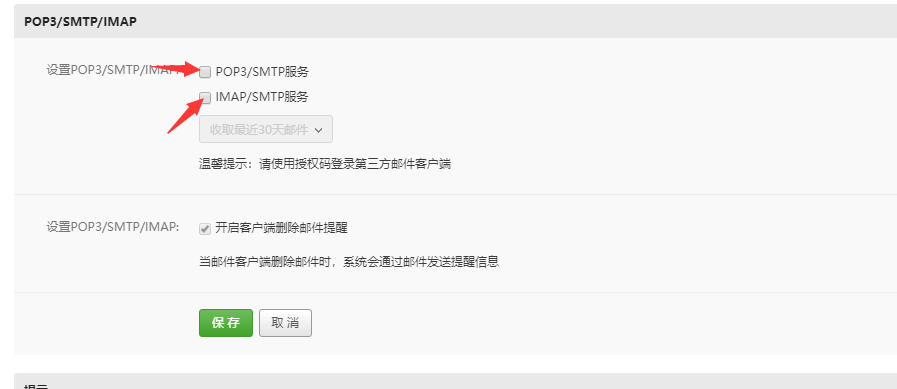
分别勾选图中箭头所指选项:
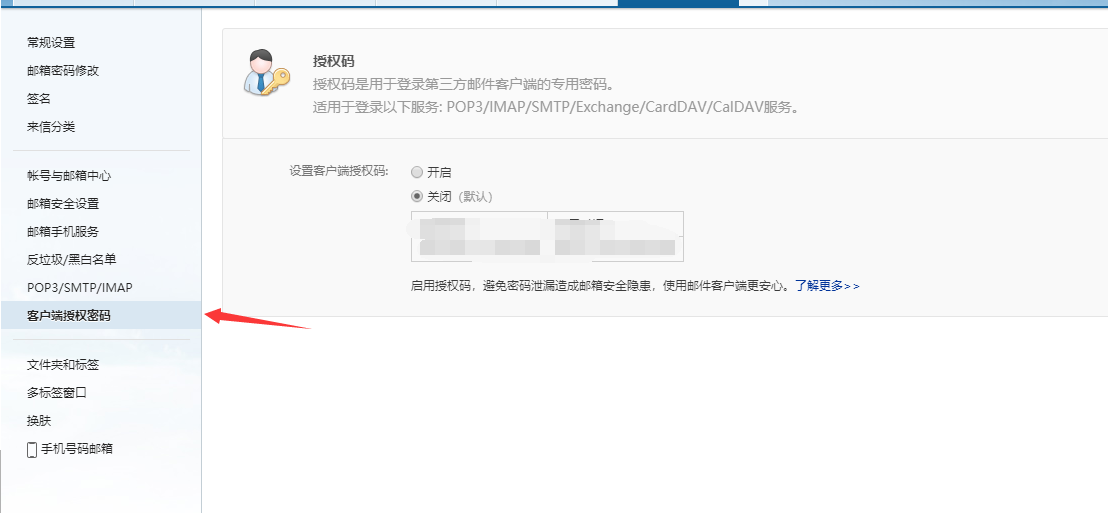
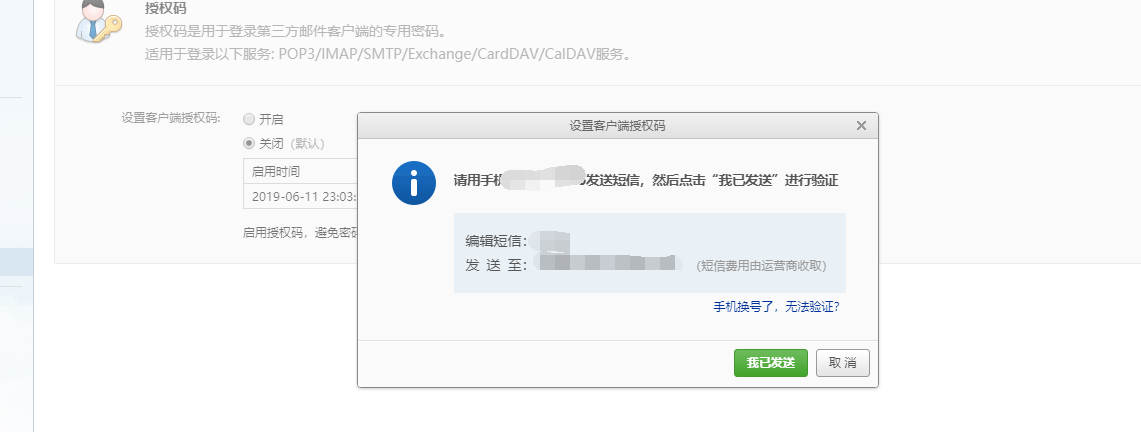
点击右侧菜单中的客户端授权密码,然后再点击开启,安装提示信息发送完短信就可以设置授权码了:
QQ邮箱
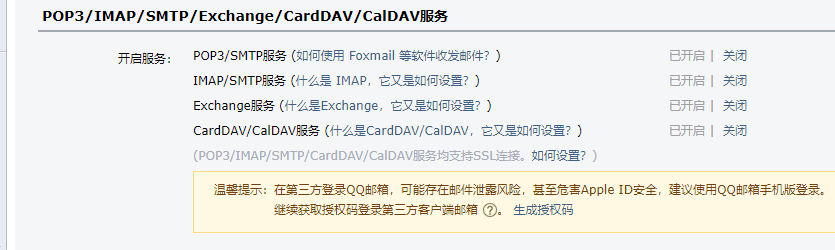
登录邮箱后点击设置–>账户,往下翻找到这个地方:
像图中这样把POP3/SMTP服务,IMAP/SMTP服务开启,然后生成授权码就好了